The calm planner
for your whole day
Tasks, calendars, habits and your journal in one app, with FloCat, a sidekick who already knows your day. And a cat who actually gets it.
You're not disorganised. Your tools just don't talk to each other.
Tasks in one app, calendar in another
You start the day flicking between a to-do app, your calendar and your notes before you've done a single thing.
Your AI doesn't know your life
ChatGPT doesn't know your meetings. Siri doesn't know your deadlines. You re-explain your context every single time.
Habit trackers die in week two
Streak pressure turns self-improvement into guilt. The app gets deleted; the habit never sticks.
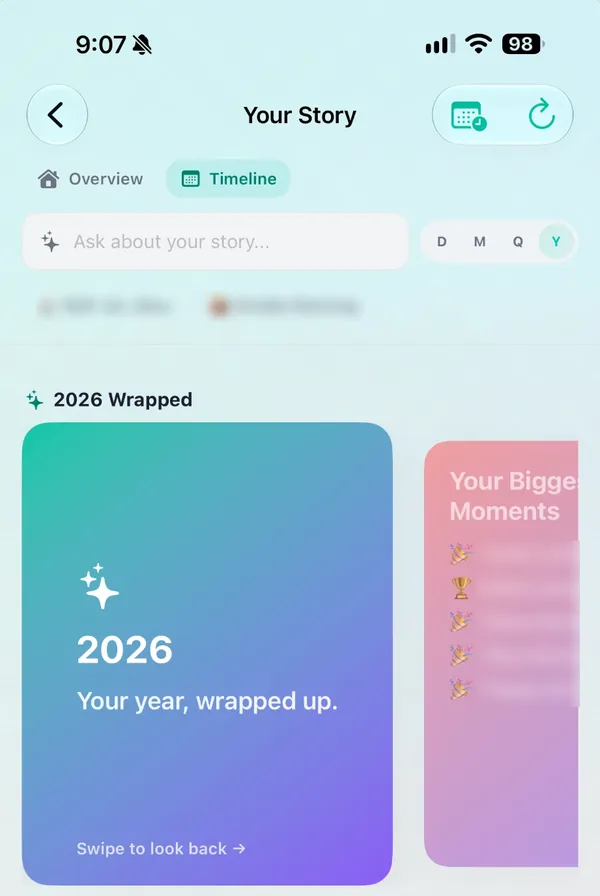
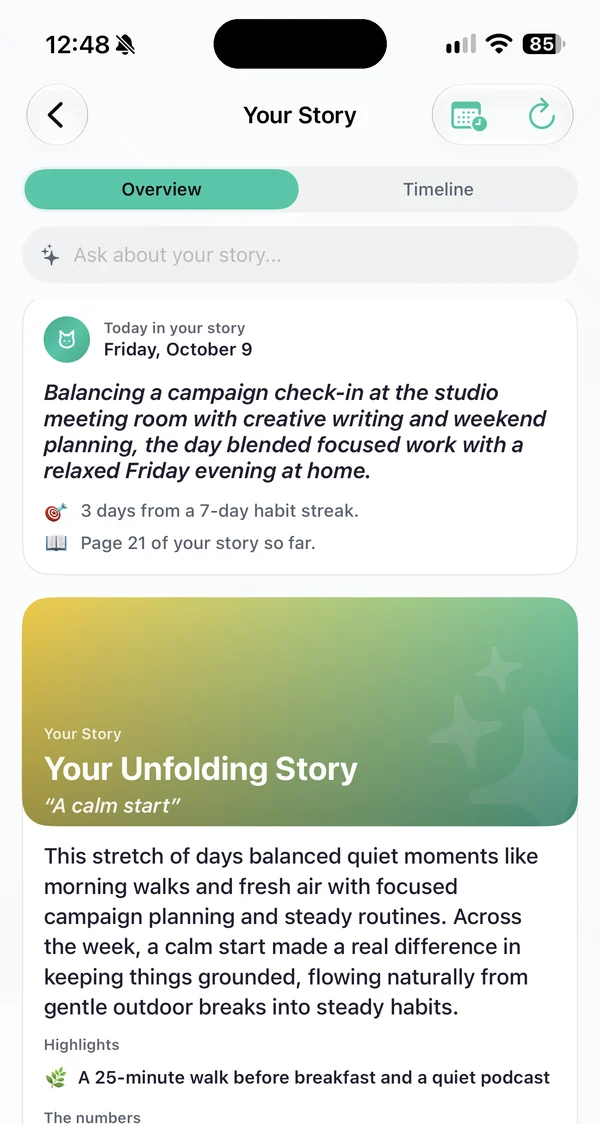
Your days, told back to you as a story.
Other planners forget yesterday. FloCat quietly turns your tasks, habits and journal into chapters, so you can see how far you've come, not just what's left to do.

Less juggling. More done.
A clear plan in the morning, effortless capture in between, and a gentle close at night.
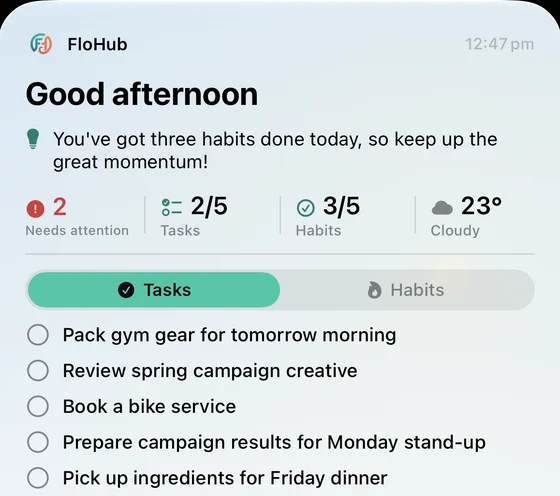
Know what matters before your coffee.
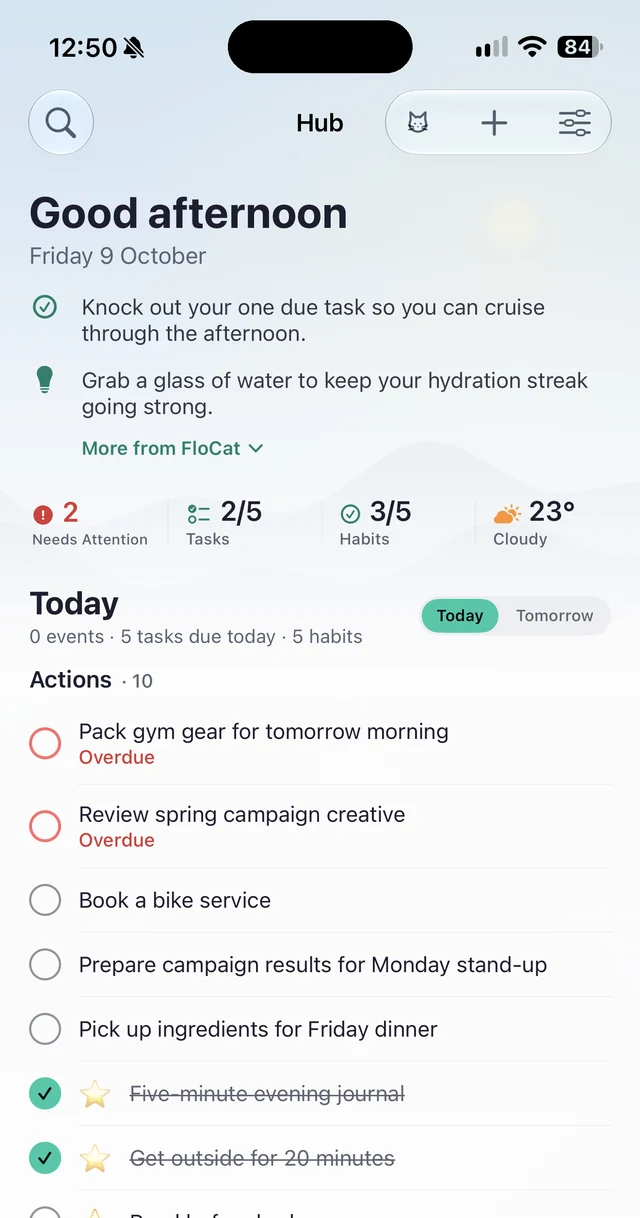
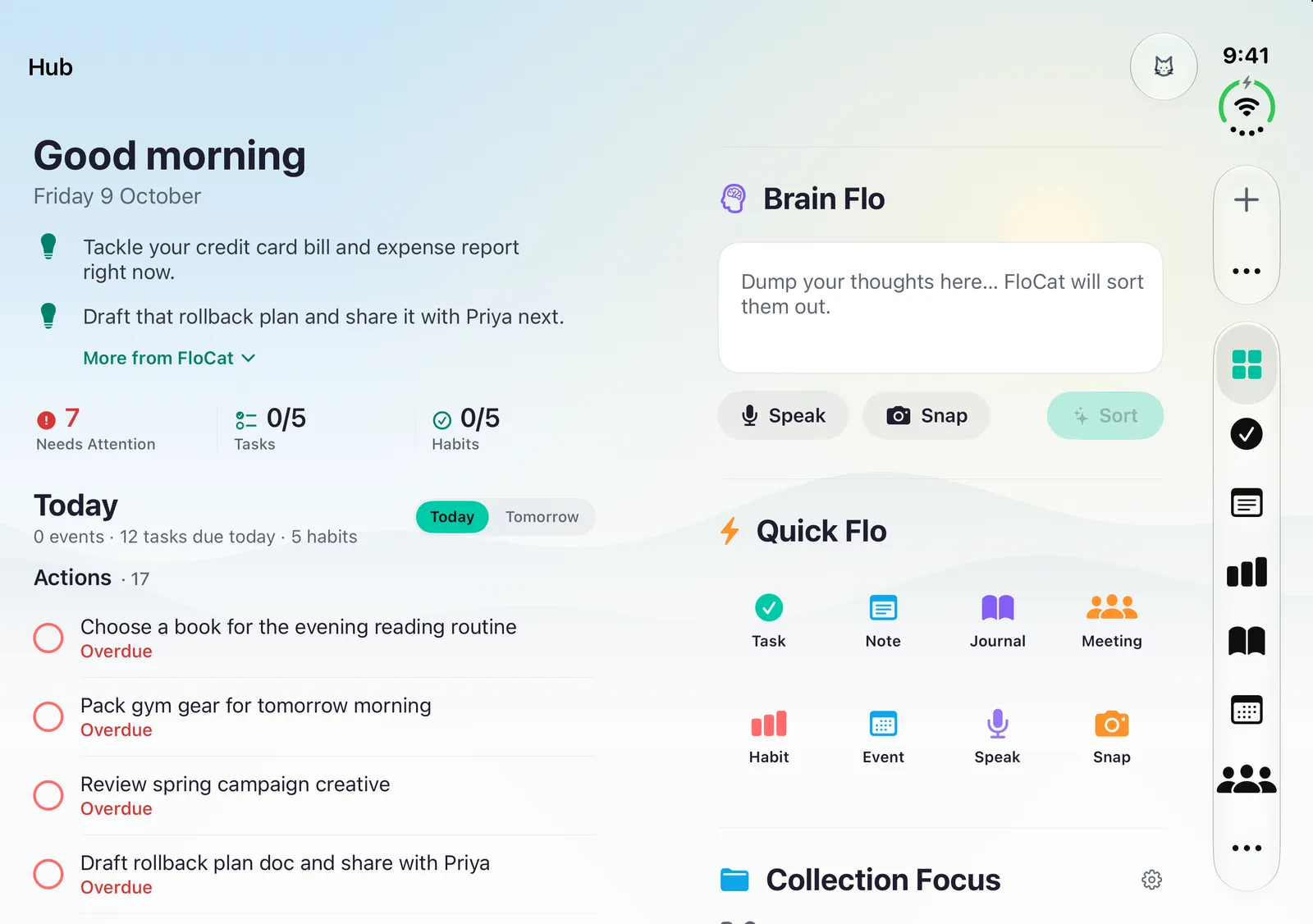
FloCat reads your calendar, tasks and habits and gives you a short, honest briefing on your Home Screen.
Capture without thinking.
Type it, say it or snap a photo. FloCat sorts the mess into tasks, events and notes, with the dates filled in.
Close the day gently.
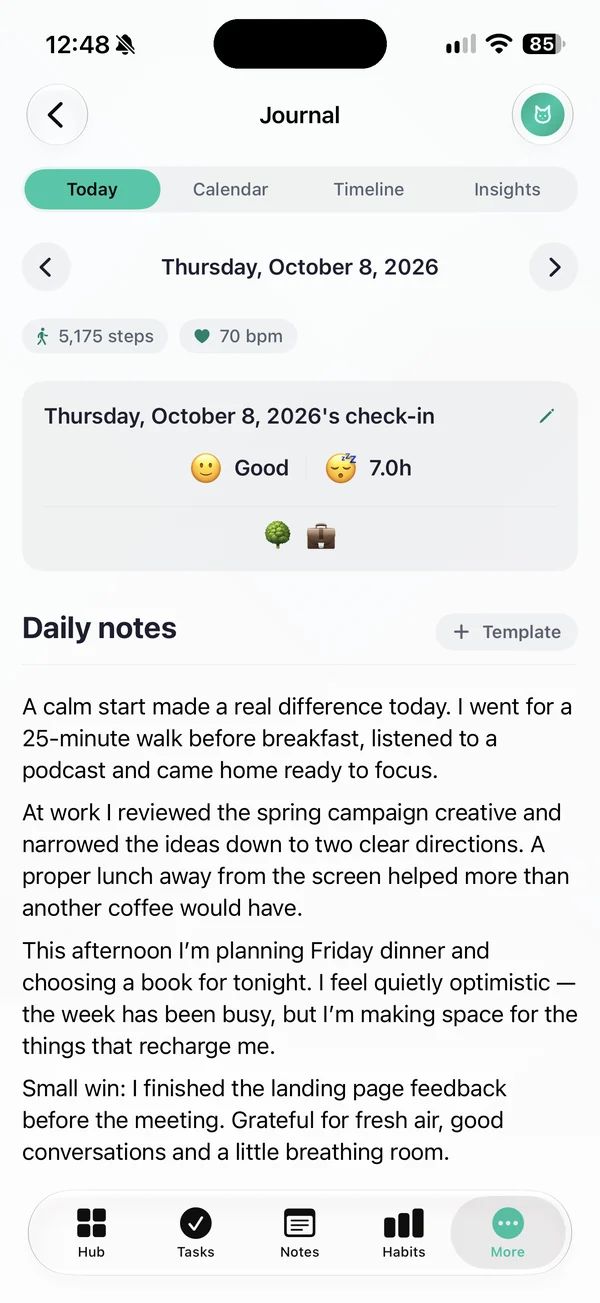
Check in with your mood, jot a few lines, and FloCat tags what you did. Sleep comes straight from Apple Health or Health Connect.
Every calendar you use. One calm timeline.
Connect Gmail and Outlook calendars, add any iCal link (iCloud, work rosters, school terms, sport fixtures) and see it all next to your tasks. The iPhone and Android apps bring your phone's calendars along too.
- Two-way sync with Google and Outlook, so you can edit events right in FloHub
- iCloud, iCal and Power Automate calendars shown alongside
- Events and tasks side by side, so you plan against real time
- Tag calendars as Work or Personal
 FloHub
Set it up your way.
Turn off what you don't use, arrange what you do, and choose how FloCat talks to you.
How should FloCat talk to you?
Morning! You've got a meeting at 10:30 and three tasks waiting. Want to knock out the quick one first?
Friendly, with a touch of cat. Pick a style in Settings, or add your own keywords: sarcastic, serious, enthusiastic.
Drag widgets around your Hub until it matches how your brain works.
Hide anything you don't need and reorder the rest. Just want tasks and a journal? Done.
Different tabs and calendars for work hours and home time, switching on your schedule.
Replace five apps with one calm one.
Every part of FloHub knows about every other part, so your tasks, calendar and journal finally tell one story.
Your whole dashboard in the browser. Free forever.
Same account, synced everywhere. Drag widgets to build the dashboard that suits your brain, and install it like an app on any computer.
Start free on the web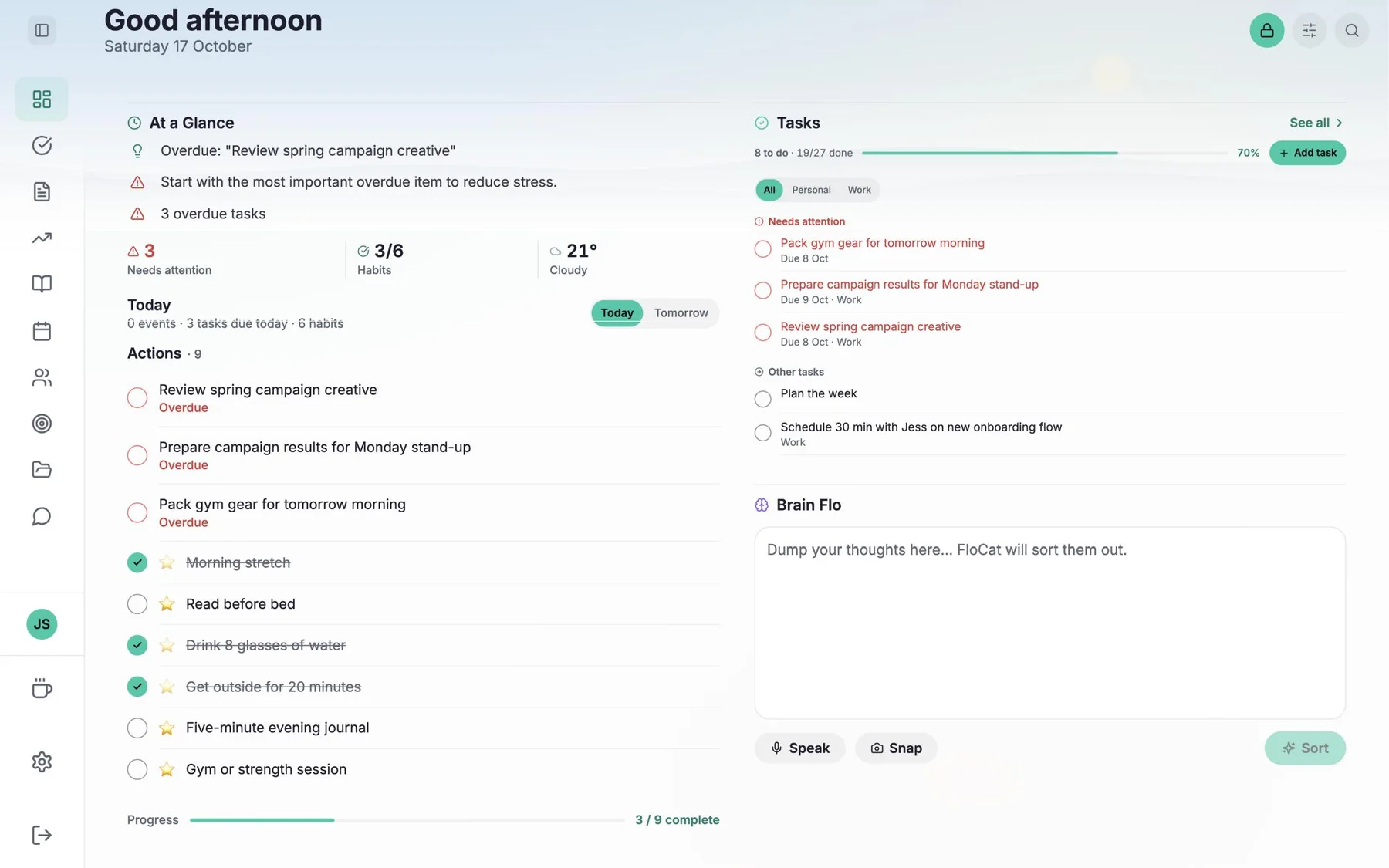
Made for your phone, from the widgets up.
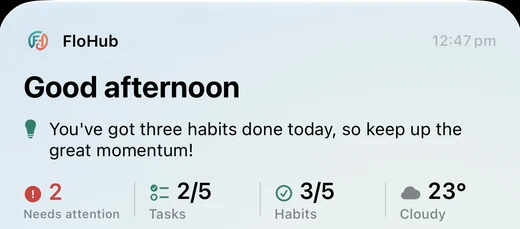
The iPhone and Android apps add everything a browser can't, and they're free to try for 30 days.
- Home & Lock Screen widgets
- FloCat chat
- Push notifications
- Sleep & steps from Apple Health / Health Connect
- Siri & shortcuts
- Share anything into FloHub
- Face ID / fingerprint lock
- Apple Reminders synciOS
- Location reminders
- Smart activity tags
Loved by people who wanted calm, not complexity.
Is FloHub right for you?
- You want one view of today, not five apps to check
- You'd like habits and goals without spreadsheets or guilt
- You want an assistant that already knows your schedule
- You love building elaborate Notion databases
- You need team workspaces with roles and approvals
- You want every setting configurable
Try everything free for 30 days.
Then $3.99 a month or $39.99 a year for the iPhone and Android apps. Prefer the browser? The web app is free forever.
- Everything on the web, plus:
- FloCat chat
- Your Story & yearly Wrapped
- Home & Lock Screen widgets
- Sleep & steps in your journal
- Siri, shortcuts & share sheet
- Push notifications
- Face ID / fingerprint lock
Billed through the App Store or Google Play. Cancel anytime.
- Unlimited tasks, habits, notes & journal
- FloCat briefings & capture built in
- Google & Outlook two-way sync
- Custom dashboard widgets
- Install on any computer
Questions, answered
What is FloHub?
FloHub is a calm daily planner that brings your tasks, calendar, habits, notes and journal into one place. FloCat, its AI sidekick, reads your day and tells you what matters, and Your Story turns your weeks and months into chapters you can look back on.
Is FloHub free?
Yes. The web app is free forever with all the core features, and no card is needed. The iPhone and Android apps are a subscription ($3.99 a month or $39.99 a year), and every new subscriber gets a 30-day free trial.
What do the iPhone and Android apps add?
FloCat chat (an assistant that already knows your day), plus Your Story (chapters, landmark days and a yearly Wrapped), Home and Lock Screen widgets, push notifications, Siri and shortcuts, share-sheet capture, Face ID or fingerprint lock, sleep and steps in your journal from Apple Health or Health Connect, your phone's calendars and Work Mode, location reminders and smart activity tags. On iPhone you also get Apple Reminders sync.
Who (or what) is FloCat?
FloCat is FloHub's AI sidekick, powered by Google Gemini. It's built into every part of FloHub: it gives you a morning briefing, sorts quick brain-dumps into tasks, events and notes, and nudges you with a little personality. In the iPhone and Android apps you can also chat with FloCat directly.
Which calendars does it work with?
Google Calendar, Microsoft Outlook, any iCal feed and Power Automate. On iPhone and Android the apps can also read your device calendars.
Is my data private?
Your data is encrypted in transit and at rest, and we never sell it. You can lock your journal with a PIN on the web, or with Face ID or your fingerprint in the apps, and you can delete your account and data at any time.
More in the full FAQ.